What’s the Big Deal About eCommerce?
The eCommerce Market
eCommerce, which refers to buying and selling goods and services over the Internet, has changed the way we shop. In 2011, e-commerce only made up about 5% of total retail sales. Now, after our pandemic in 2020, e-commerce makes up 16.5% of total retail sales. According to Forrester, experts predict that 28% of business-to-consumer purchases will be through ecommerce, and by the end of the decade many 80% of business-to-business transactions will happen online. There is a clear trend: e-commerce is big and it is only getting bigger.
What Consumers Like about eCommerce
Why is e-commerce so appealing to consumers? First, e-commerce has 24/7 availability. Unlike traditional brick-and-mortar stores that set hours, you can shop online anytime, anywhere, even from the comfort of your own home. Although this convenience is great, it leads to consumers making quick purchasing decisions, often ending with us buying products we definitely don’t need (sometimes at 2 am).
The speed of e-commerce is another great benefit. Through search engines and major retailers like Amazon, consumers can find what they need very quickly. Products can also be delivered within a day, sometimes even within a couple of hours. This benefit makes us think of Amazon, where they’ve made it possible to buy anything on their platform and give their customers access to an insanely wide selection of products.
Another advantage is cost. To run a brick-and-mortar physical store, we must invest in expenses like good lighting, friendly staff, and rent for the building. E-commerce sites do not have any of these overhead costs and often pass these savings directly on to customers. All the retailer needs is a good website and the ability to manage orders efficiently.
Finally, e-commerce has great personalization. Both small and large e-commerce shops often use machine learning to create personalized product recommendations. They can often analyze what you bought and what you’re currently looking to buy, then they can predict what kind of products you might like based on similar customers who have also purchased the same products. The personalization aspect is good for consumers and even better for retailers.
Why Choose Shopify?
If you are a small business or a retailer that is just starting in e-commerce, Shopify is a great choice. Shopify is a software as a service (SaaS) that functions as a Content Management System (CMS). For only $30 a month, beginners can create an e-commerce website without any coding experience. Shopify allows users to pick prebuilt templates and use drag-and-drop features to create a website with ease and efficiency.
Shopify is an all-in-one platform. Shopify can help you build an online store, manage sales and fulfillment, market to customers, and accept payments, all within Shopify. You also get inventory and shipping management, social media promotion, and marketing analytics, and basic marketing analytics tools such as SEO, PPC, and social media. This approach of jamming all these features into one platform is the reason why millions of businesses (small, medium, and large) choose Shopify.
While Shopify is the most popular option for CMS platforms, there are also alternatives like Squarespace, Wix, and WordPress. However, these general-use website builders are not directly aimed at being used for e-commerce, and do not have a lot of features that make Shopify so great. If you want to make your business appear professional quickly and easily, Shopify is the way to go. It has great built-in features that are made for beginners, but powerful enough to grow your business.
How to Start an eCommerce Website with Shopify
For example, I am making a Shopify eCommerce store for Sweet As Waffles Merch, where we sell t-shirts, hoodies, hats, and stickers.
Step 1: Answer Questionnaire
The first step to creating an e-commerce website within Shopify is to answer the questionnaire about your business. Shopify will ask you where you want to sell (online store, in person, social media, etc.), whether this is for a new or existing business, if you currently sell it on any other platforms, and what kind of product or service you plan to sell on this e-commerce website. This helps Shopify customize your setup experience and make it as easy as possible for users.
Step 2: Navigate the “Welcome to Shopify” webpage and select “products”
The next step navigates you to the “Welcome to Shopify” page, where you can begin selecting and inserting the products you want to sell. Here, you can import products using a CSV file, which allows an easy way to switch platforms or make bulk changes to products or inventory. You can also add a product manually, which is what I will be doing.
Step 3: Add a product
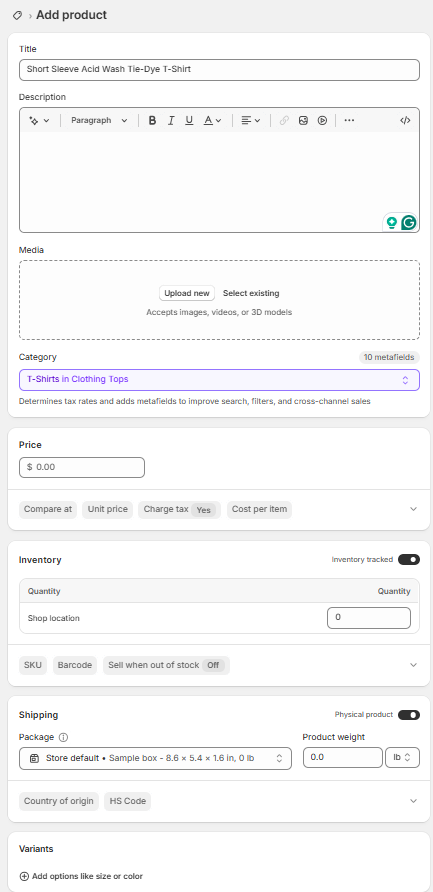
Next, we can start adding our products to our e-commerce site. The great thing about Shopify is you can do everything without knowing how to code, and you can add product title, description, images, category, price, inventory, shipping information, variants such as size or color, and even how the product will appear in search engines, such as Google. Here, I filled in all the information about Sweet As Waffles acid-wash T-shirts and hit the complete button.
Step 4: Setting up your store.
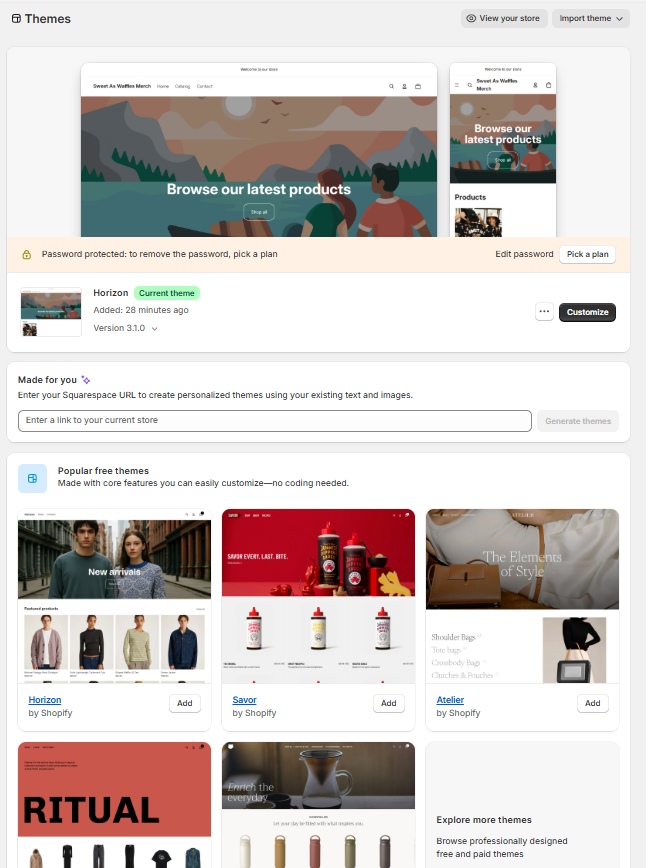
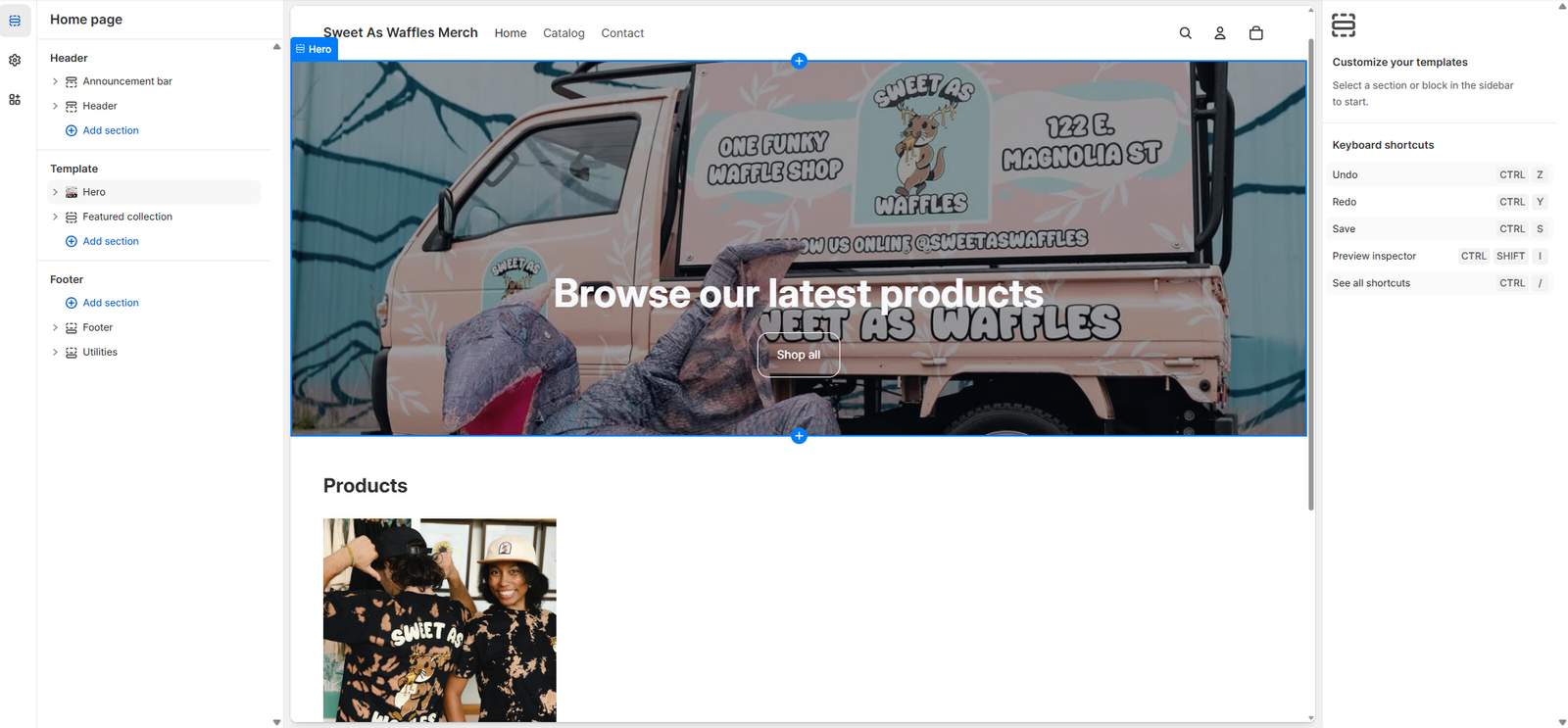
Finally, you get to design your e-commerce web pages! Shopify offers tons of themes that automatically create desktop-friendly mobile mobile-friendly web pages. Once you choose a theme, you can customize everything with drag and drop functionality. Everything for customization is extremely easy, and you do not need to know HTML, CSS, or JavaScript. To customize text, you do not need to mess around with <h1><h1/> tags, which adds to the ease for beginners. As someone who has experience in web development using VSCode to create web pages, this makes the process 10x easier. For my theme, I chose the hero template and added a banner image at the top. Within a couple of minutes, I had a professional-looking e-commerce site.
Extra Shopify Features that are great for marketers
Marketing
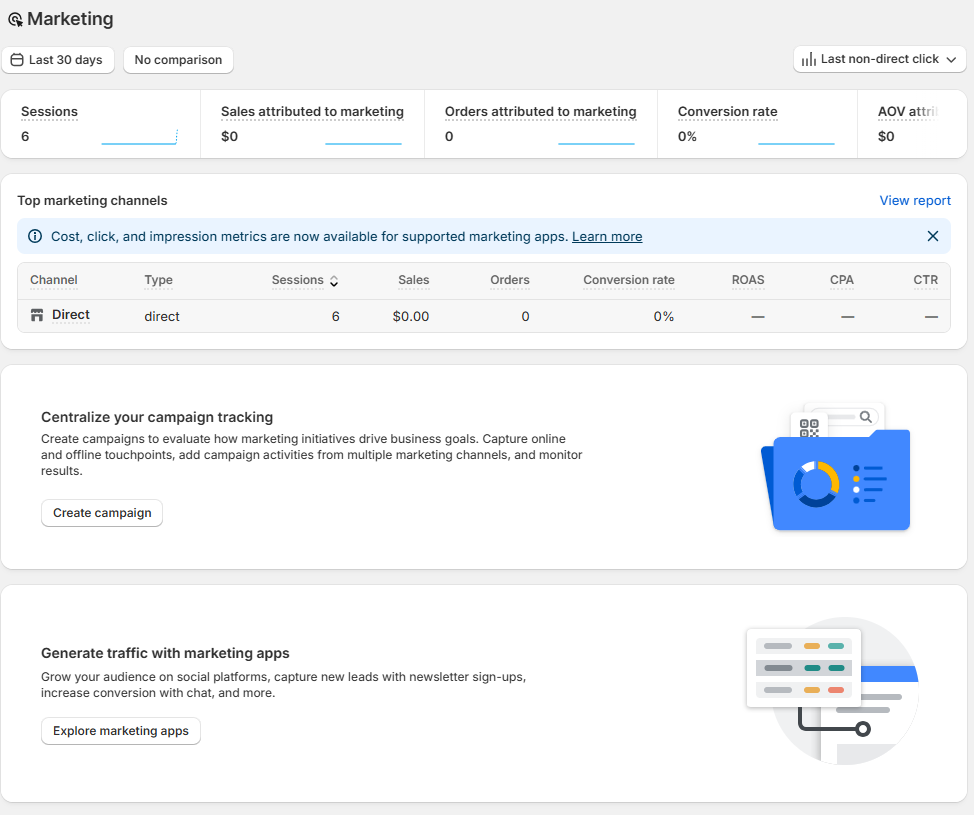
In this section of Shopify, we have “campaigns”, “attribution”, and “automations”. The campaign section has tools that help track online and offline marketing channels, where you can monitor the results. We can even connect third-party and Shopify-specific marketing apps so that we can track all our data on Shopify. For example, we can connect our “Mailchimp email marketing software to give us more insight into our customers. Next, we have attribution, which shows us our “Top 5 Channels” that are bringing visitors to our Shopify e-commerce site. This is a great way to find out the most common ways people are finding out about our e-commerce shop. Finally, we have automation, which allows marketers to automate customer communications to increase engagement and sales. For example, you can automate a “Welcome New Subscribers” with a discount email. This allows Shopify to automatically send them a personalized email that acknowledges them as a” new customer”, and you can motivate them to buy your products with a discount code.
Analytics
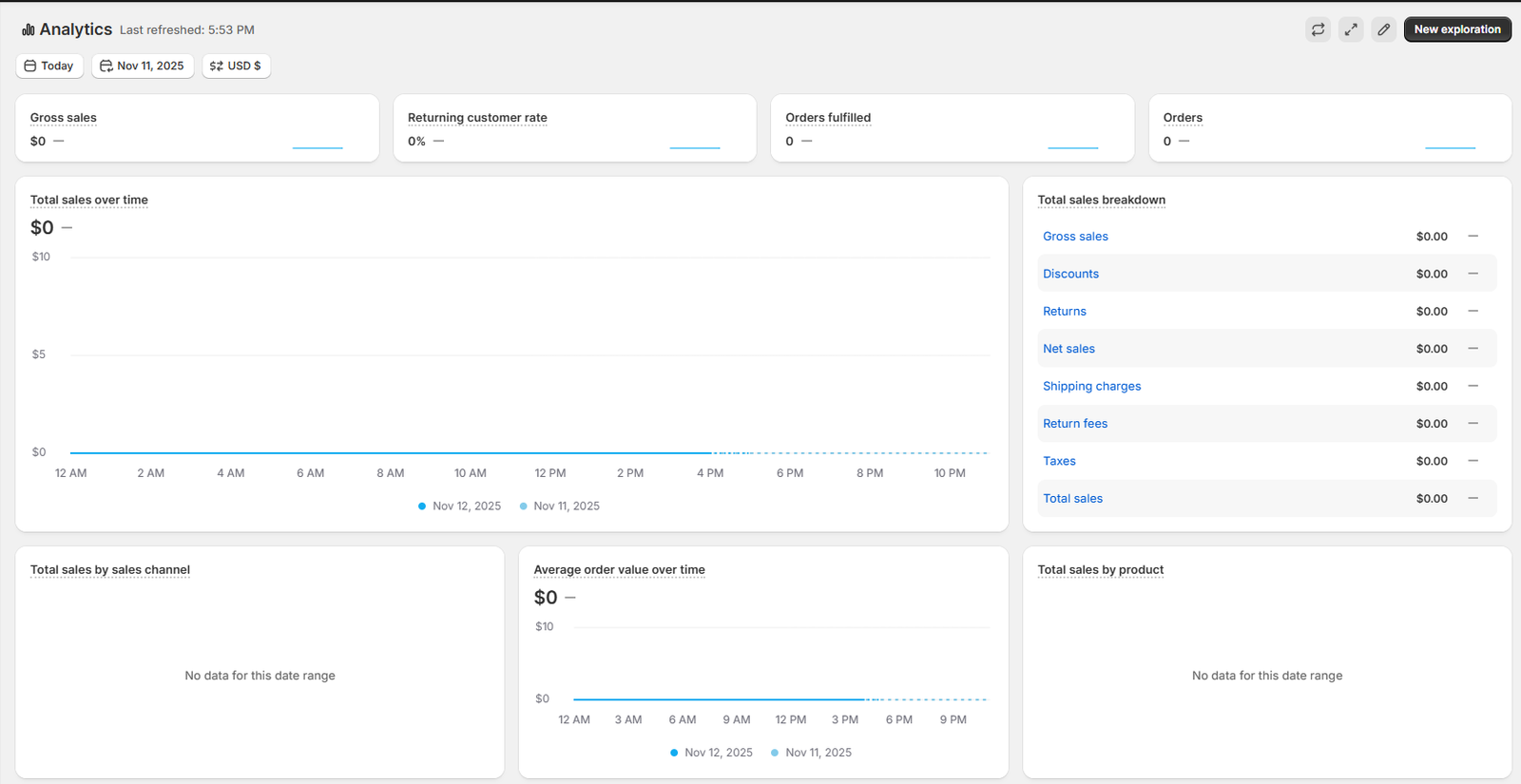
Within this section of Shopify, we can see our web analytics and how our e-commerce website is performing. The dashboard is like the Google Analytics dashboard, but is geared toward eCommerce metrics. Some metrics within the dashboard include gross sales, returning customer rate, orders fulfilled, orders, total sales over time, conversion rate breakdown, and a bunch of other useful metrics for marketers. Although you can connect your Google Analytics to your Shopify eCommerce site, the Shopify Analytics is quite thorough. You can add more in-depth metrics via the “reports” page.
Wrapping Up
To wrap it up, e-commerce is rising rapidly in popularity; any business (small or large) should take advantage of this trend and create an e-commerce website. Whether you are selling handmade items on Etsy or adding an online channel in addition to a brick-and-mortar store, Shopify is a great way to easily get started and grow your business online. As an all-in-one CMS, your $30 a month subscription goes a long way!