
Basics of Content Management Systems (CMS) & Which Should You Use As a Digital Marketer?
Content Management Systems (CMS) Explained
A content management system, or CMS, is a no-code tool that makes website management accessible to everyone. With the CMS, you can create, edit, and update your website content without needing any coding expertise. Platforms like these allow multiple team members to collaborate on website updates simultaneously, which is very convenient for businesses ranging from small to medium to large. You can also preview your content to see exactly what it looks like before publishing it live to your website. CMS platforms can also act as a database to store all your content (fonts, images, and videos) so you don’t have to hunt down and redownload files every time you need them. Beyond storage, you can customize the design and layout of your website by selecting templates that create the overall look that you want for your website. While most CMS platforms include basic SEO and web analytics features, these features are not as in-depth as tools like Google Analytics, but they give non-marketers a solid overview of the website’s performance. Also, you can use plugins to directly access third-party content (like Instagram posts) to insert into your website by plugging in API’s to increase functionality. All of these great features CMS offers are great tools for UI and UX, which give better experiences for both the visitors and the developers.
What CMS’s do for Digital Marketers
Being able to use CMS tools as a digital marketer puts you in charge of different web pages on your brand’s website. This is crucial because the goal of digital marketing isn’t just getting people to their home page; it’s about converting them after they have reached your website. You need to give them customized web pages designed specifically for them to convert. When somebody clicks on your digital campaigns, whether it’s from email, display ads, or social media, you should send them to a custom landing page. These custom landing pages are perfect for catching visitors at different stages of the buyer’s journey. During the awareness stage, you can educate visitors on your brand. In the consideration stage, you can compare your product with competitors. At the conversion stage, you could tell them exactly why you should choose your product. These all need different content, and by editing these custom landing pages, you’re optimizing your website so that multiple types of visitors can find what they need when they enter your website from different digital campaigns. CMS platforms also use WYSIWYG editors (what you see is what you get), which lets you customize your content’s look directly from the editor, which is like how Microsoft Word or Google Docs looks exactly how you type it. This is much easier for digital marketers to edit websites versus actually coding manually. You can create headings, paragraphs, add images, and link different pages to your website, all without having to touch the code. CMS platforms are also decoupled platforms, which means the content and design are separate. This allows you to update content in the editor, then the CMS automatically posts it in your selected design theme, and vice versa. The CMS handles all the front-end and back-end coding for you, which is much more efficient than manually updating the HTML, CSS, and JavaScript. By not having to spend your time manually coding, you can focus on making engaging content for your website.
Comparing WordPress Vs. Wix
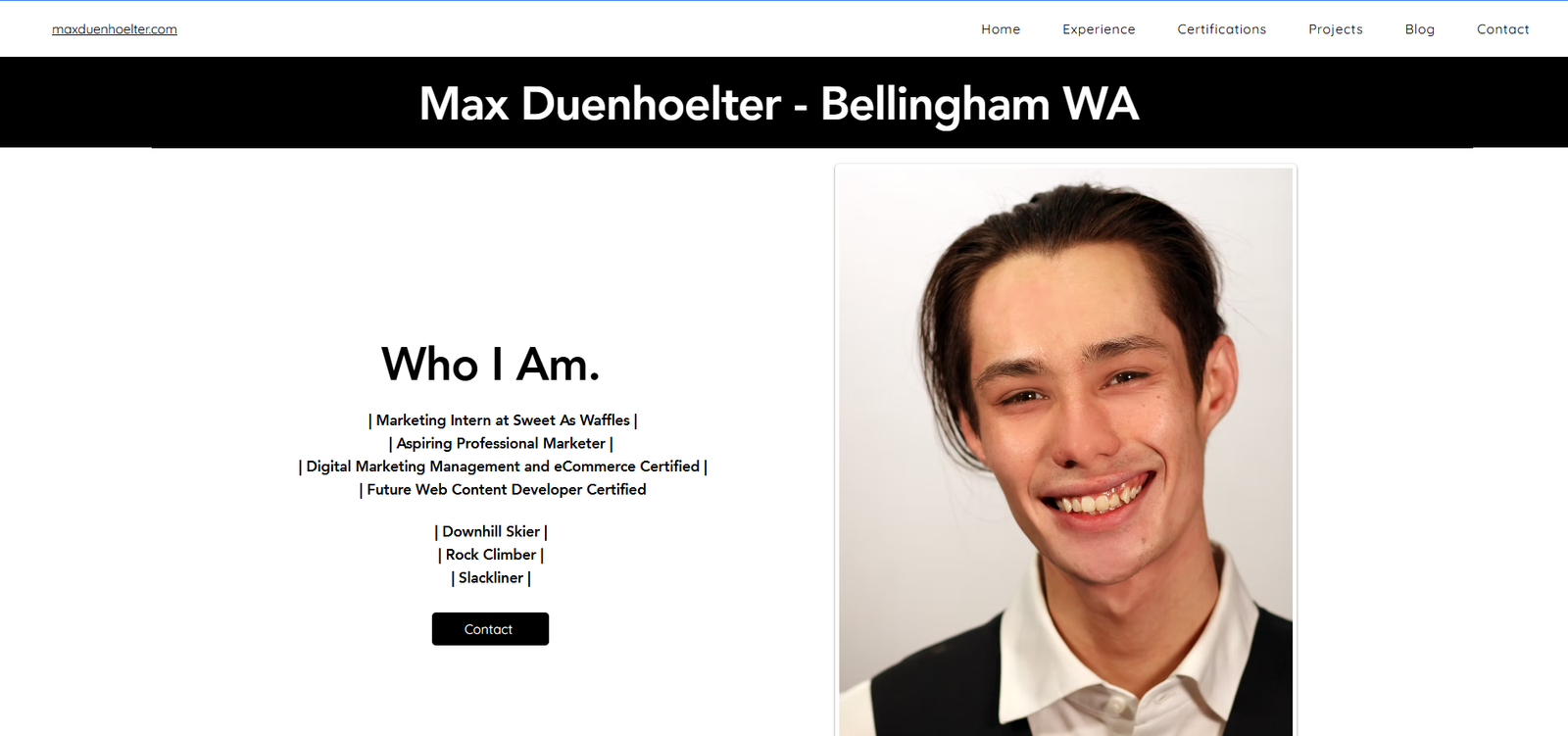
For background information, I have experience creating websites in WordPress, and here is an example of my personal website made in WordPress: https://maxduenhoelter.com/
Wix.com
Starting off with Wix.com, this CMS is a beginner-friendly website builder that has an easy-to-use interface. You can pick a theme or template and customize the contents to make your website look good. However, Wix has some downsides such as limited customization options. I found myself struggling with basic tasks like cropping and resizing cover images for my blogs.
I couldn’t make the website exactly how I wanted because of the constraints built into the themes and templates, which got pretty annoying. Since Wix operates on a “pay for premium features” model, many features that would normally be available in WordPress.org were locked behind a paywall. For example, creating a simple container to place text in image requires a premium subscription. By the end, my website ended up feeling boring and not very customized. While Wix does have a great blog section similar to LinkedIn’s article creator, the images in the blog weren’t very customizable, which was also frustrating.
WordPress.org
I used WordPress.org to edit my website, which is a familiar CMS to me. It’s important to note that WordPress.org and WordPress.com are completely different platforms, and that WordPress.com is similar to Wix because it is also a “pay for premium features” platform. You can download WordPress.org as an application on your computer, or it often comes included with most hosting platforms when you buy and host a domain. I went with hosting my website through Hostinger. One feature I really like about WordPress is that you can choose a theme to make your website look good, and there are still tons of customizations you can make.

When creating a new block, there are tons of different options for different types of blocks, which is quite different from Wix’s limited selection. WordPress also has great themed blocks that let you easily keep the same customized theme with your fonts, colors, and logos that keep it consistent throughout the website.
WordPress also has a “Posts” page that was excellent for making blogs and article posts, and it is similar to LinkedIn’s and Wix’s article builder but has much more customization for resizing and cropping images. I also found it much easier to edit the colors and fonts in WordPress’s pages in the blog sections. I was even able to embed my articles into another page that held all the blogs posts, which gave the web page a premium and integrated field with the full title, a brief introduction, and a “read more” button.
Wrapping Up. WordPress or Wix?
After working with both platforms, WordPress.org is clearly a better choice in my opinion. I found that it offers significantly more customization options, better templates and themes that you don’t have to pay extra for, in a superior blog section to easily add articles to a website. As digital marketers, we must remember that our job isn’t just getting visitors to the website; we must also work to optimize our website to keep our visitors on our website so that they will convert. The website should make sense to visitors and be easy to navigate. Using CMS platforms helps you accomplish this efficiently without having to learn a bunch of code. CMS tools allow you to update and optimize your website and landing pages so customers have an even greater experience while browsing, which will hopefully lead to better conversion rates.